🎬 A stop-motion movie studio for iPhone and iPad

Make your toys
come alive!

Move a toy a tiny bit and press SNAP. Do it again, and again. Press Play and watch it move! Then add words, sounds, songs and rolling credits, and save your movie to Photos.

Coming soonto the App Store See how it works
  • Simple enough for an 8-year-old
  • No ads, no tracking, no subscription
How it works

Move. Snap. Play!

Stop motion is a magic trick made of tiny moves. Take a picture, move something a little, take another. Play them fast, and your toys walk, jump and fly.

  1. 1

    Move

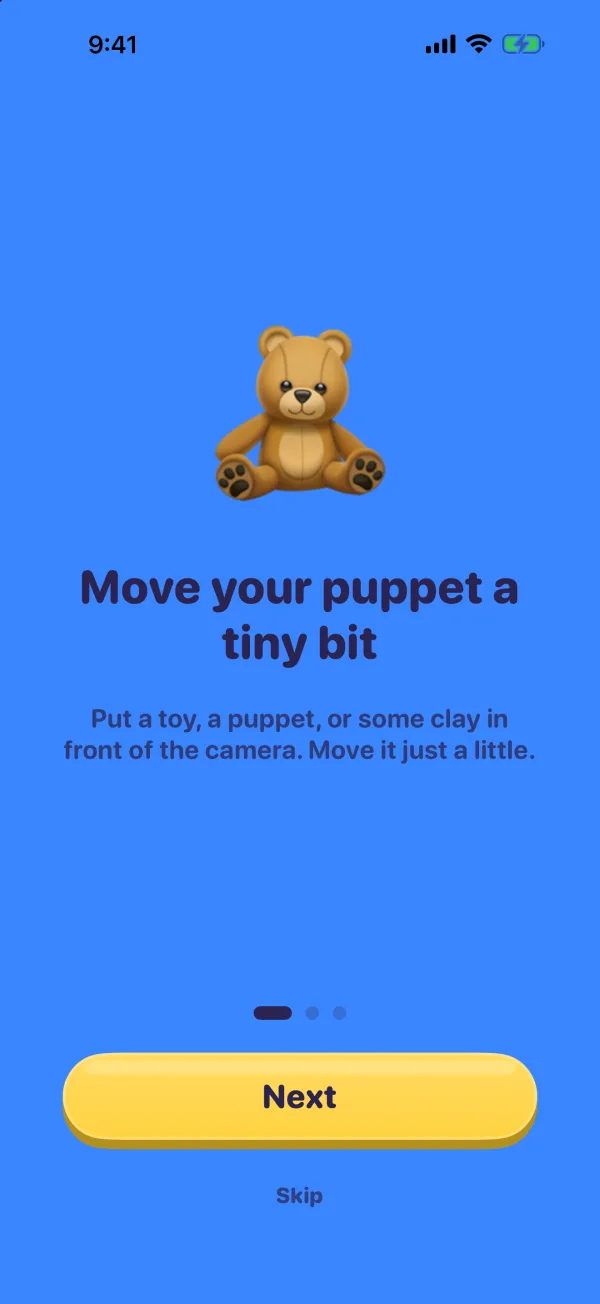
    Put a toy, a puppet or some clay in front of the camera. Move it just a little.

  2. 2

    Snap

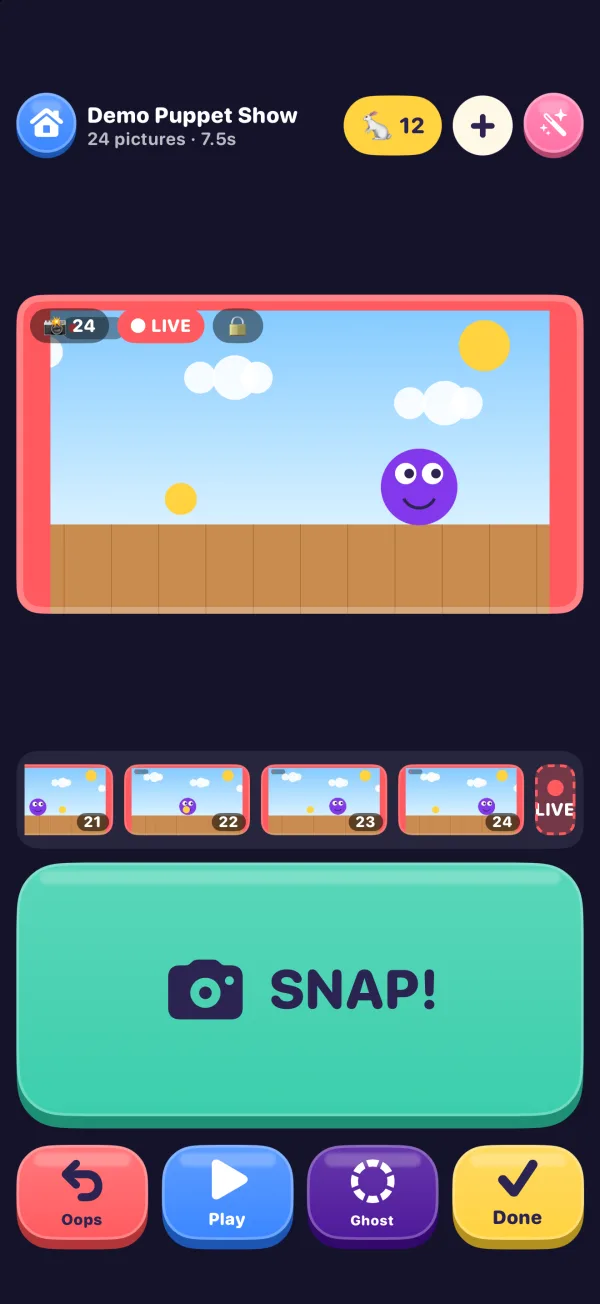
    Press SNAP! to take a picture. The ghost shows your last picture, so you can see how far you moved.

  3. 3

    Play

    Move, snap, move, snap. Press Play any time and watch it come alive.

  4. 4

    Done

    Press Done twice and your movie is saved to Photos. Want words, sounds and songs first? Tap the pink magic wand to decorate it.

Five big buttons. One job each.

  • Snap takes a picture.
  • Oops takes back the last picture.
  • Play plays the movie so far.
  • Ghost shows the last picture faintly over the camera, or hides it.
  • Done, pressed twice, saves the movie to Photos and starts a new one.

After the first picture, the camera locks its focus, exposure and white balance, so every picture matches and the movie doesn't flicker. Pick a speed: 🐢 Slow, 🐇 Medium or 🚀 Fast, 6, 12 or 24 pictures a second.

Simple for kids, deep for grown-ups

Everything a little studio needs.

Kids get big buttons and bright colors. Grown-ups who want to go all out get a real timeline, keyframes and 4K.

✋ Auto Snap

Hands off the phone.

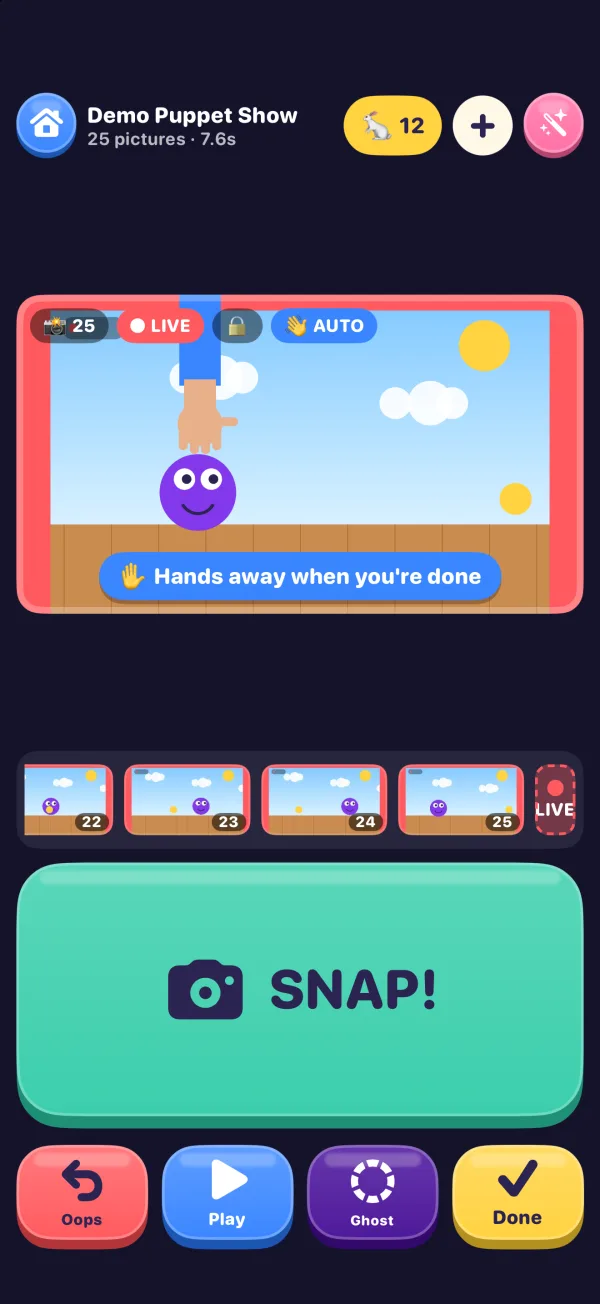
Move something, take your hands away, and Auto Snap takes the picture once everything holds still, then plays the camera sound. Nobody has to touch the phone, so it never wobbles.

It won't take the same picture twice, and it waits while a hand is still in the picture. The hand check runs on your iPhone with Apple's Vision. Snap and Oops keep working the whole time.
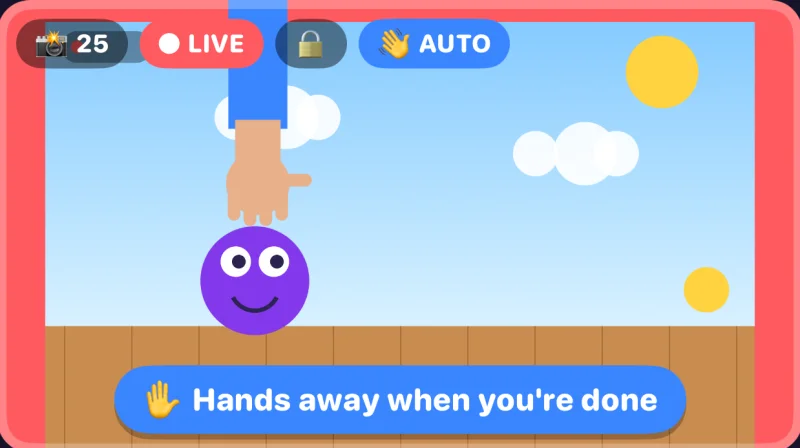
Auto Snap in the app: a hand is still holding the purple puppet, and the app says “Hands away when you're done”
👻 Ghost

Meet the ghost.

The ghost is your last picture, shown faintly over the camera. Line things up, nudge them a little further, snap.

💬 Decorate

Words, bubbles and stickers.

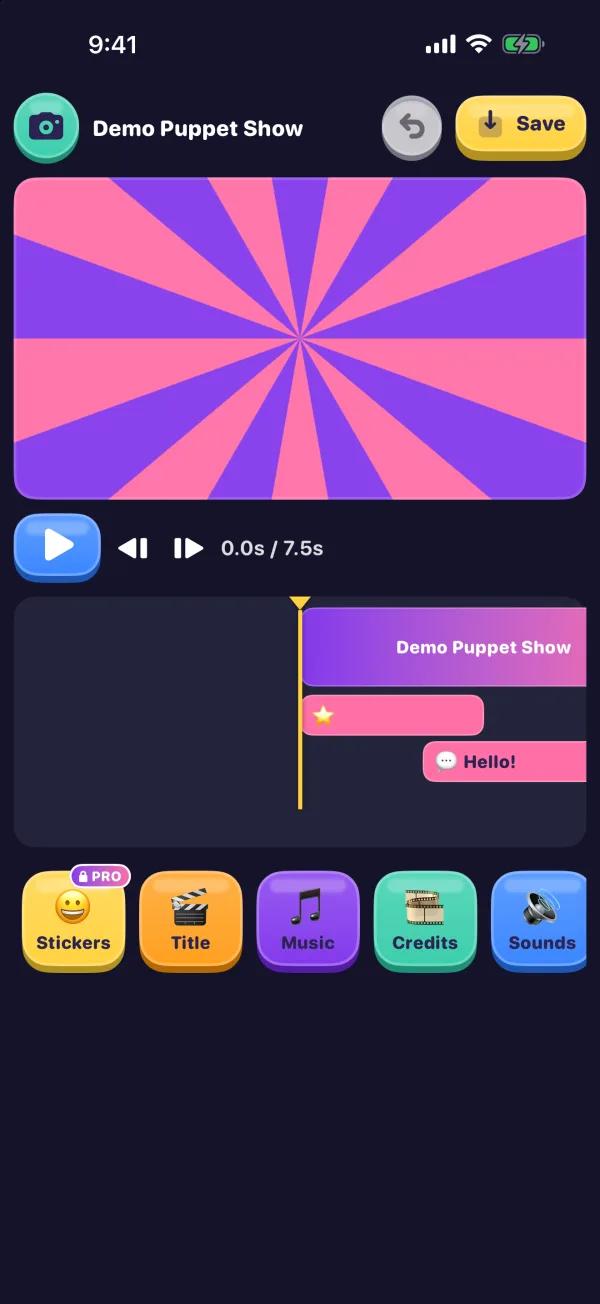
Add words and speech bubbles that pop in and wiggle. With Pro, emoji stickers too.

🎬 Titles

Titles and rolling credits.

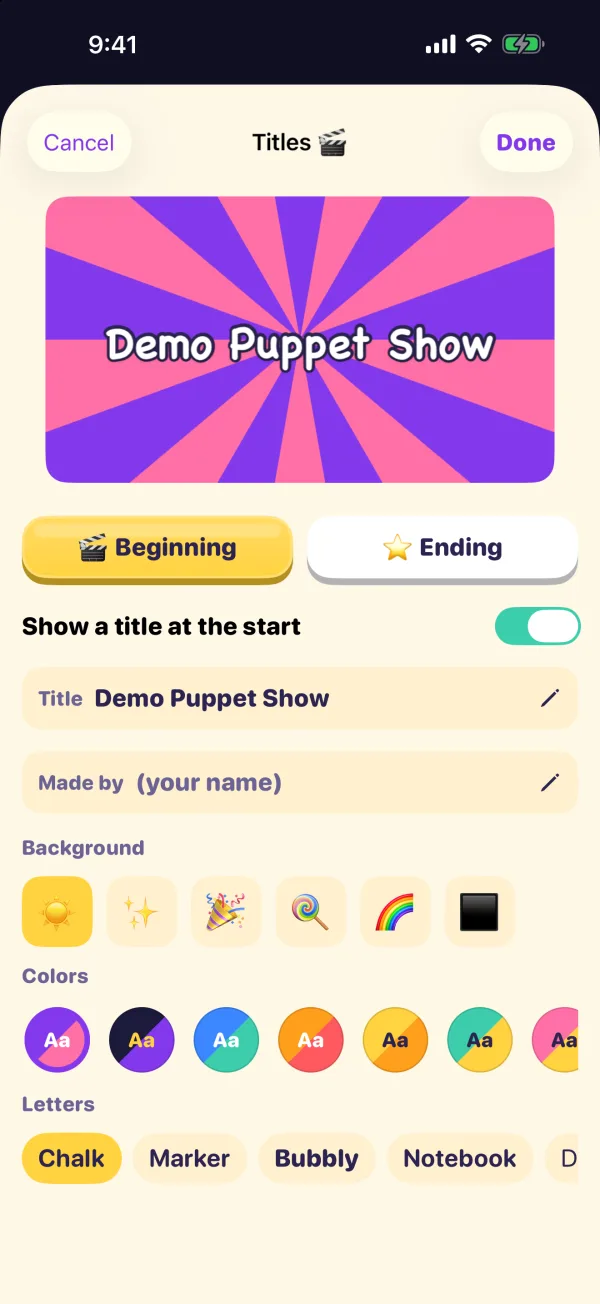
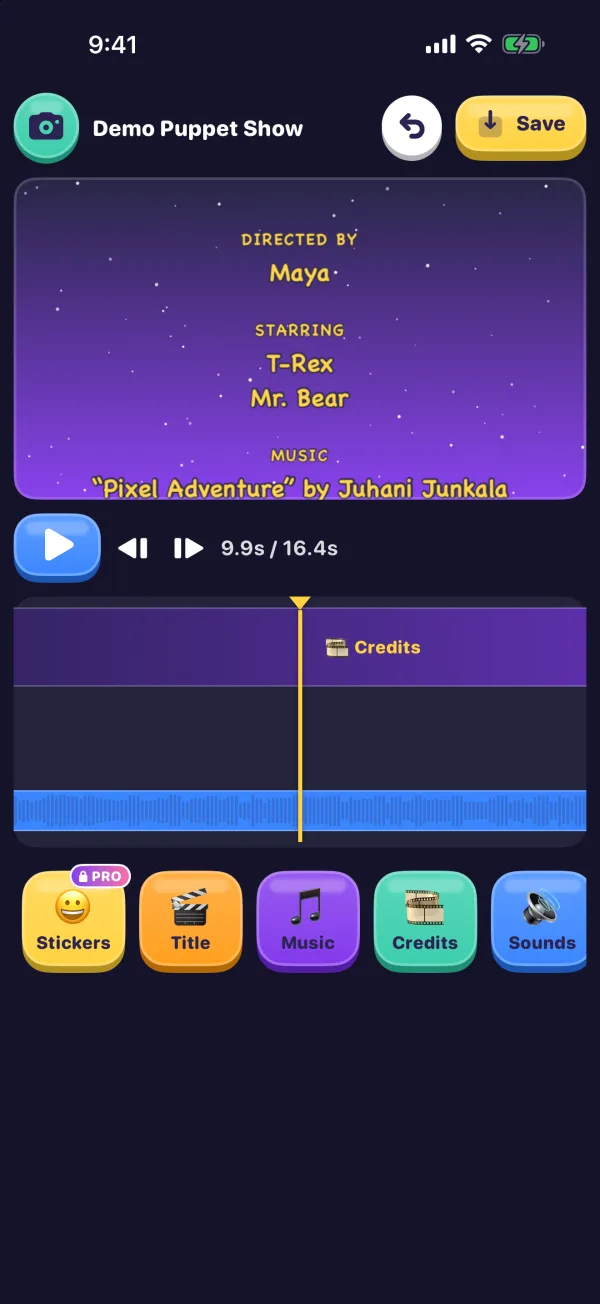
Open with a title, with a live preview. End with “The End”, or with rolling credits that pick up the song by themselves.

🎨 Looks

Give it a look.

Turn the whole movie into an old film, a comic or a sketch with one tap.

  • 🌈 Bright
  • 🎩 Black & White
  • 📽️ Old Movie
  • 💥 Comic
  • ☁️ Dreamy
  • 🎨 Pop Art
  • 👾 Pixels
  • 💎 Crystal
  • ✏️ Sketch
  • 🌟 Neon
  • 🙃 Upside Colors
💾 Save

Stop any time.

Every movie saves itself as you go, so you can come back tomorrow and keep snapping. When it's finished, save it to Photos or share it.

  • 📷 Photos
  • 📤 Share
  • 🔁 GIF PRO
  • 🖼️ All frames
  • 🗂️ Backup
🎵 Sounds and songs

Boing! Splat! Drum roll…

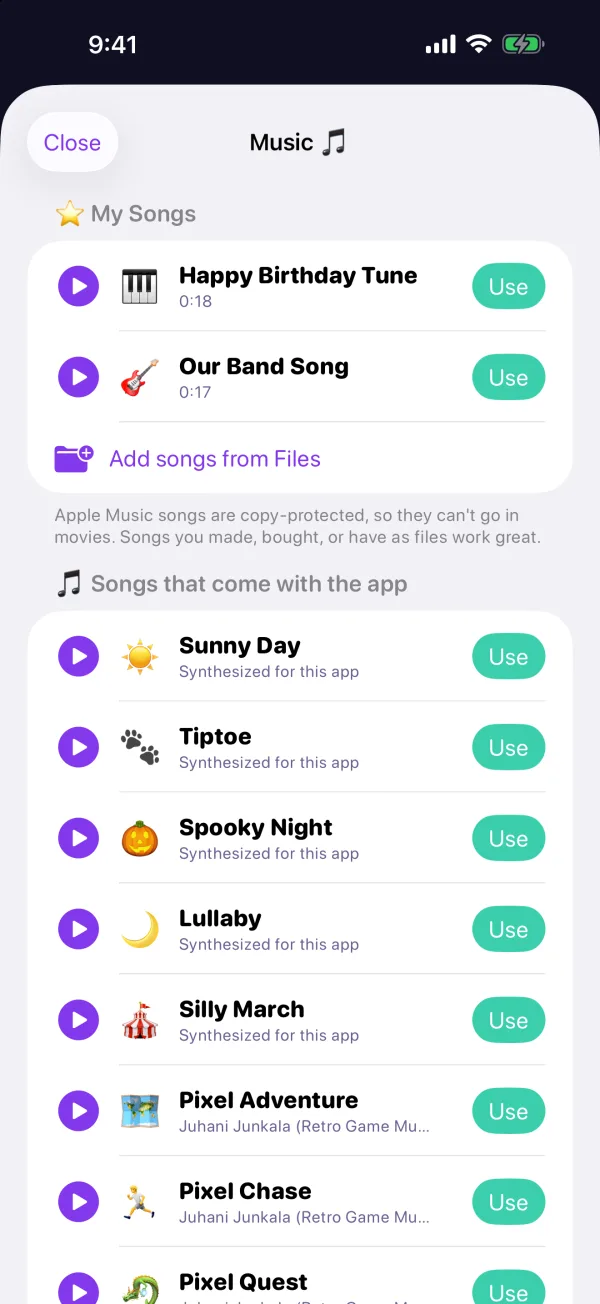
54 sound effects, from boings, bonks and splats to robots, lasers and creaky doors, 9 songs, and a voice-over you record yourself.

My Songs brings your own music in from Files, the Music app, or any app's Share button and AirDrop. Add a song once and every movie can use it.

Studio mode

For grown-ups who want to go all out.

Turn on Studio mode in Grown-up Settings and the same app grows a full set of power tools, from manual camera controls to keyframes.

  • 54Sound effectsBoings, bonks, booms, footsteps, robots, lasers, slime and a drum roll.
  • 9SongsPlus any song you bring to My Songs, and your own voice.
  • 4KMoviesIn 1080p HD or 4K with Pro, and HEVC in Studio mode.
  • 0Ads or trackersNo accounts, no analytics, nothing to sign up for.

Camera

  • Manual camera
  • Camera Control sliders
  • Self-timer
  • Time-lapse
  • Shoot on twos
  • Scenes

Editing

  • Frame editor
  • Timeline to move and trim
  • Keyframes
  • “Record path” motion
  • Transitions
  • Speed
  • Reverse and boomerang
  • Split
  • Color adjustments

Import and export

  • Videos as clips
  • Videos turned into frames
  • Photos as frames
  • 4K and HEVC
  • Every frame as pictures
  • Project backups
Classrooms, libraries, museums and parties

Put the stage on the big screen.

Inspired by the puppet stations at children's museums. Plug in a TV and a box of big buttons, and anyone can walk up and make a movie.

  • The TV is the stage

    Connect a TV or monitor with a USB-C to HDMI adapter, or use AirPlay. The TV shows the live picture, the ghost and playback, and the phone becomes the remote.

  • Any button will do

    Keyboards, programmable button boxes, foot pedals, game controllers (including the Xbox Adaptive Controller), Bluetooth camera remotes, the volume buttons, Camera Control and AirPods.

  • Museum mode

    Hides the movie library and photo import, and opens straight into a fresh movie. Turn on Guided Access and the phone stays in the app.

  • Next kid's turn

    Kids press Done twice. The movie plays on the TV while it saves to Photos, then a fresh movie starts.

  • F13Snap
  • F14Oops
  • F15Play
  • F16Ghost
  • F17Done (press twice)

A button box only has to act like a USB or Bluetooth keyboard. F13 to F17 never type anything by accident; the number keys 1 to 5 work too, and any key can be re-taught in Grown-up Settings. How to set up a station

Free, with one optional upgrade

Pay once. That's it.

Make as many movies as you like for free. Stop Motion Pro is a single, one-time purchase for the extras. No subscription.

Free · 720p

Free

Everything you need to make movies

  • The five big buttonsThe ghost, Auto Snap and every speed.
  • Words, sounds and songsSpeech bubbles, 54 sound effects, 9 songs, My Songs and voice-over.
  • Titles, looks and creditsOpening titles, color looks, “The End” and rolling credits.
  • Studio mode and the big screenPower tools, the TV stage, button boxes and Museum mode.

Free movies save at 720p with a colorful “Made with Stop Motion Movie Maker” badge in the corner.

Pro ✨ · up to 4K

Stop Motion Pro

One-time purchase. Everything unlocked, yours for good.

  • 1080p HD and 4K moviesSuper-sharp movies for the big screen.
  • No badgeMovies save without the “Made with” badge.
  • StickersEmoji stickers that pop in and wiggle.
  • Add photosTurn pictures from Photos into movie frames.
  • Animated GIFsShare any movie as a looping GIF.

Works on every iPhone and iPad signed in to the same Apple Account.

Kids can't buy it by accident.

On kid screens, locked buttons show a PRO tag and an “ask a grown-up” sheet that only a grown-up math question gets past. Like every App Store purchase, Pro also needs the Apple Account's own confirmation, and Ask to Buy works too.

  • 🚫 No ads
  • 🙈 No tracking
  • 💳 No subscription
Privacy

No ads. No tracking. No account.

Made for kids, so it collects nothing at all. Movies stay on your iPhone or iPad until you save or share them.

Movies stay on your device

Pictures, sounds, songs and movies are kept inside the app on your iPhone or iPad. Nothing is uploaded.

Seeing happens on the device

Auto Snap's hand check uses Apple's Vision framework, right on the device. The camera picture never leaves it.

Nothing to track

No ads, no analytics, no tracking and no third-party code. The app makes no network connections of its own; purchases go through the App Store.

Read the full privacy policy

Lights, camera, SNAP!

Stop Motion Movie Maker is coming soon to the App Store for iPhone and iPad. Questions before then? Write to us.

Coming soonto the App Store